







Доступно для предзаказа
Дополнительная информация


Galaxy S26 | S26+

ДИЗАЙН
Новое прочтение классики
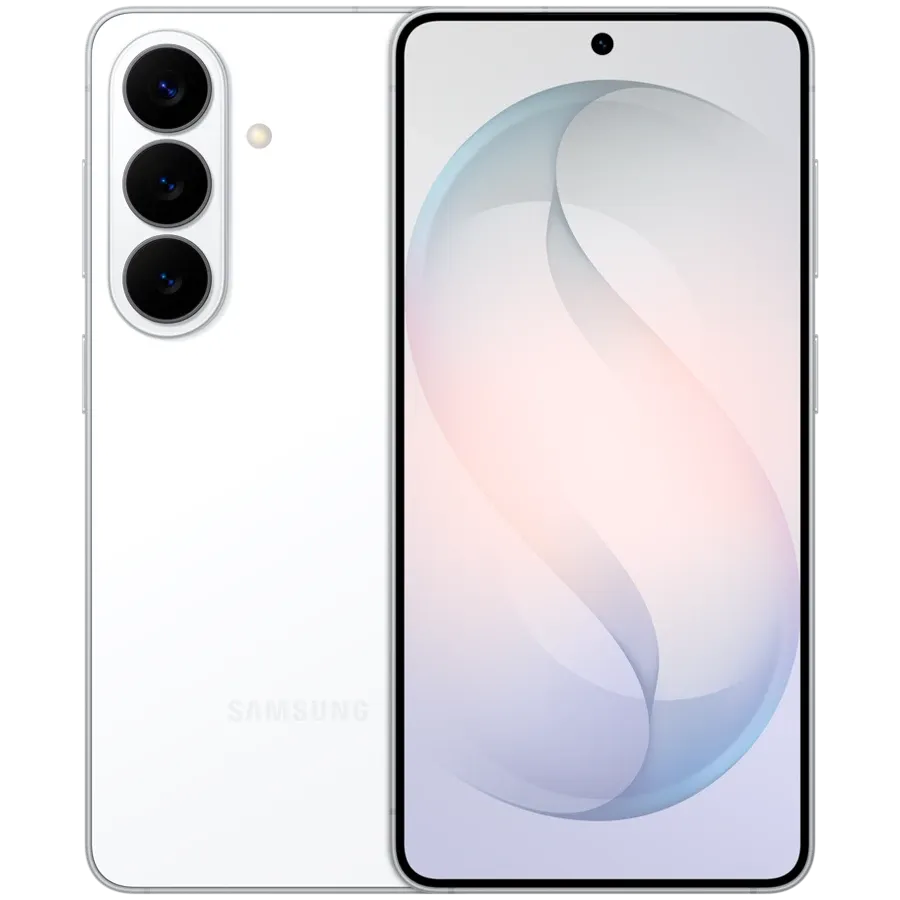
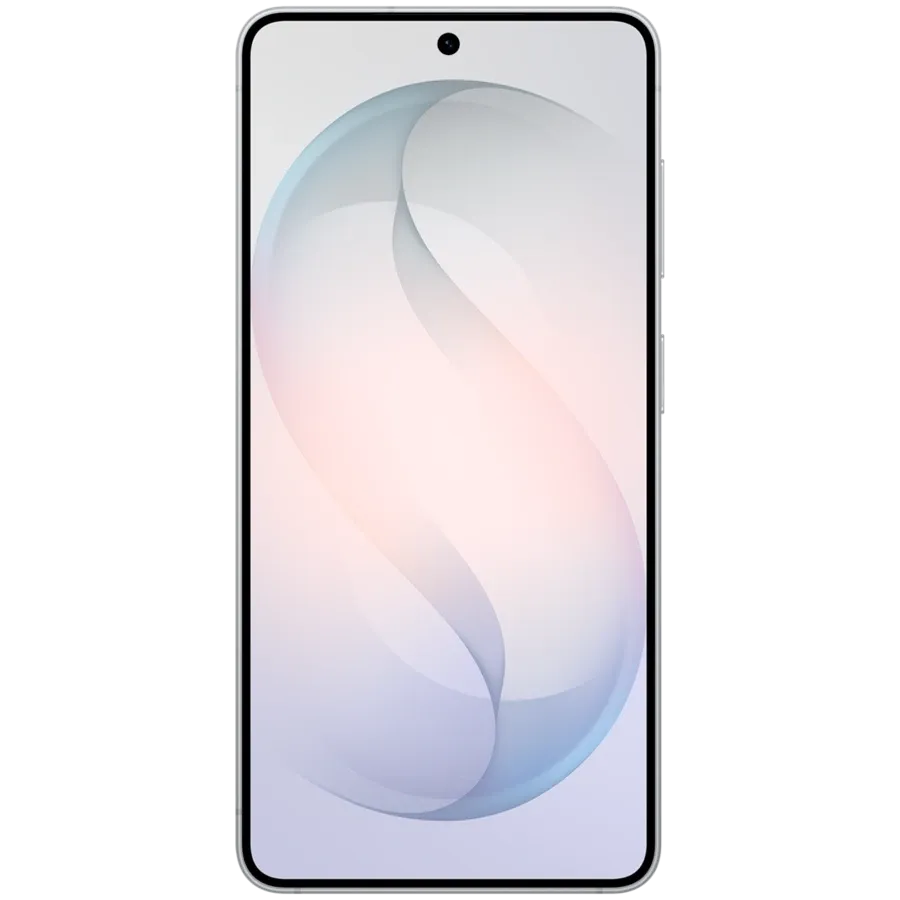
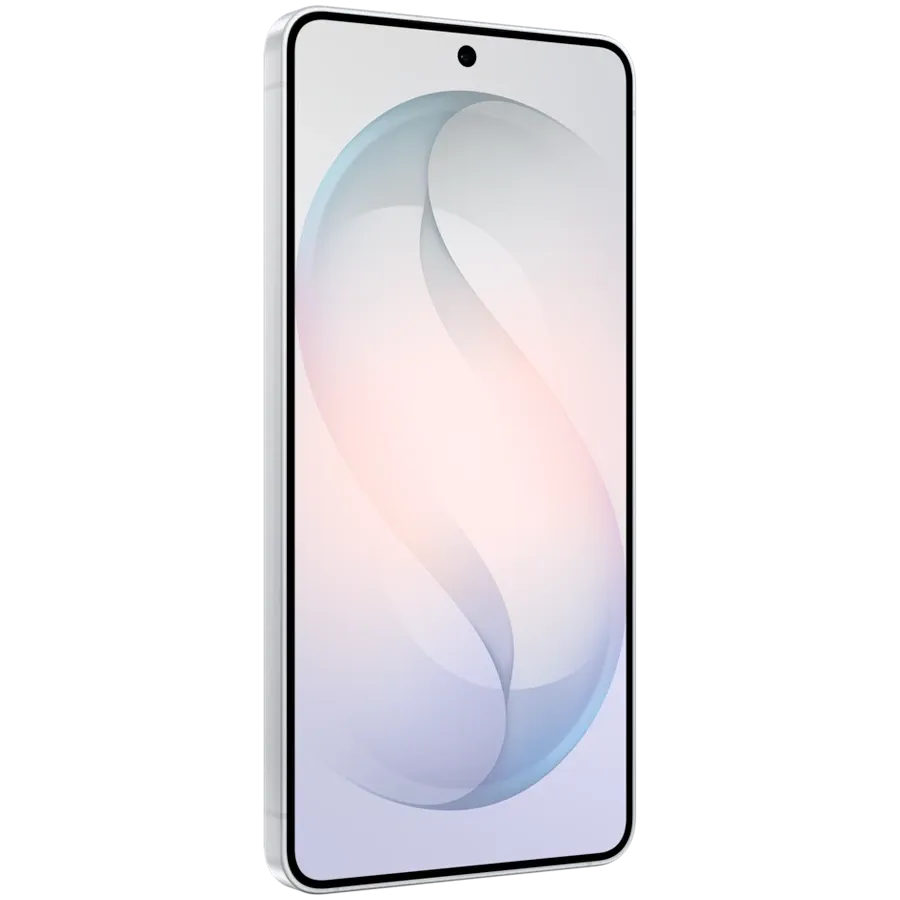
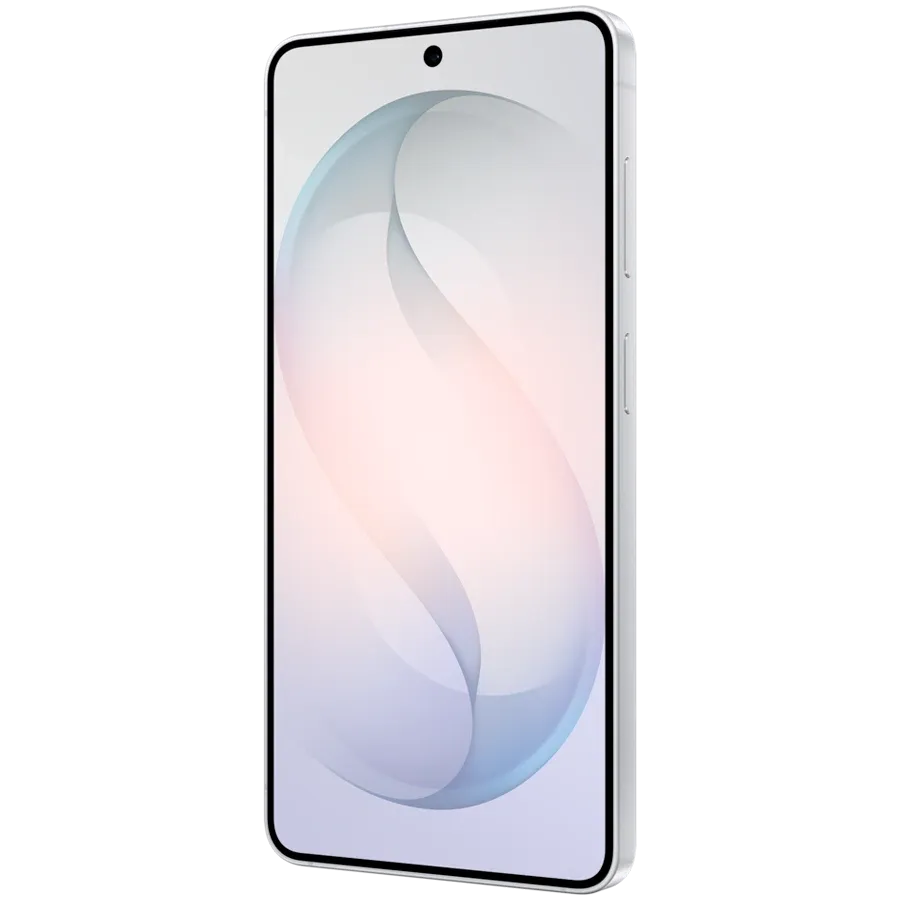
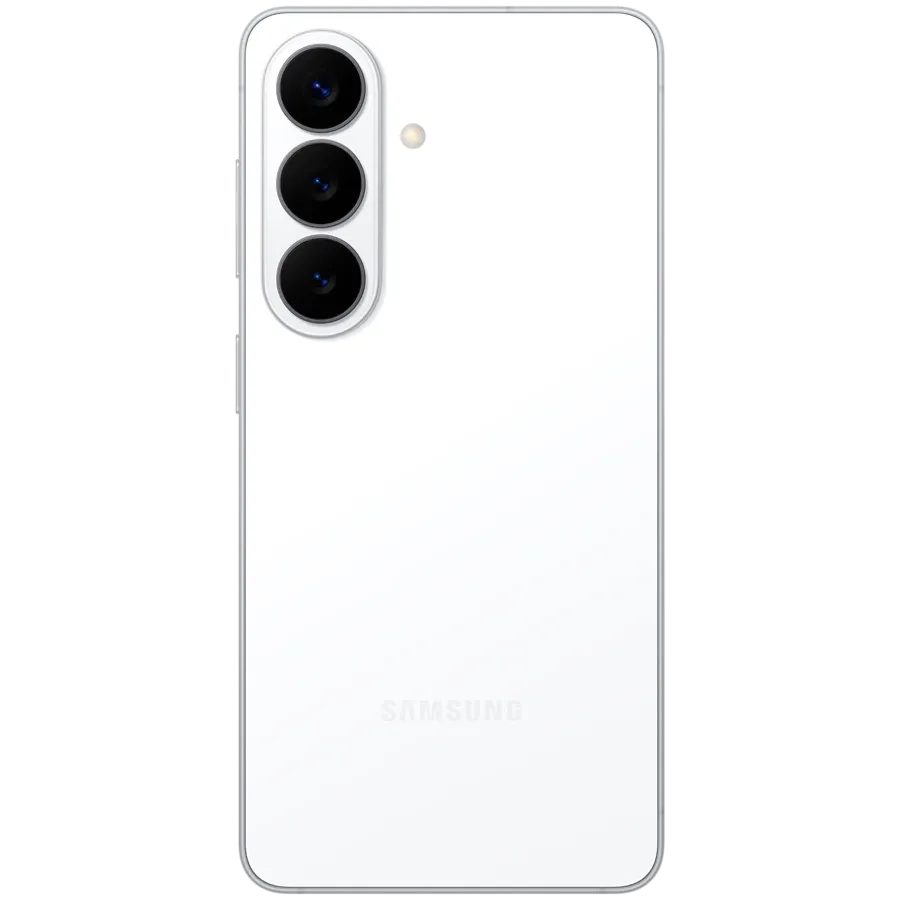
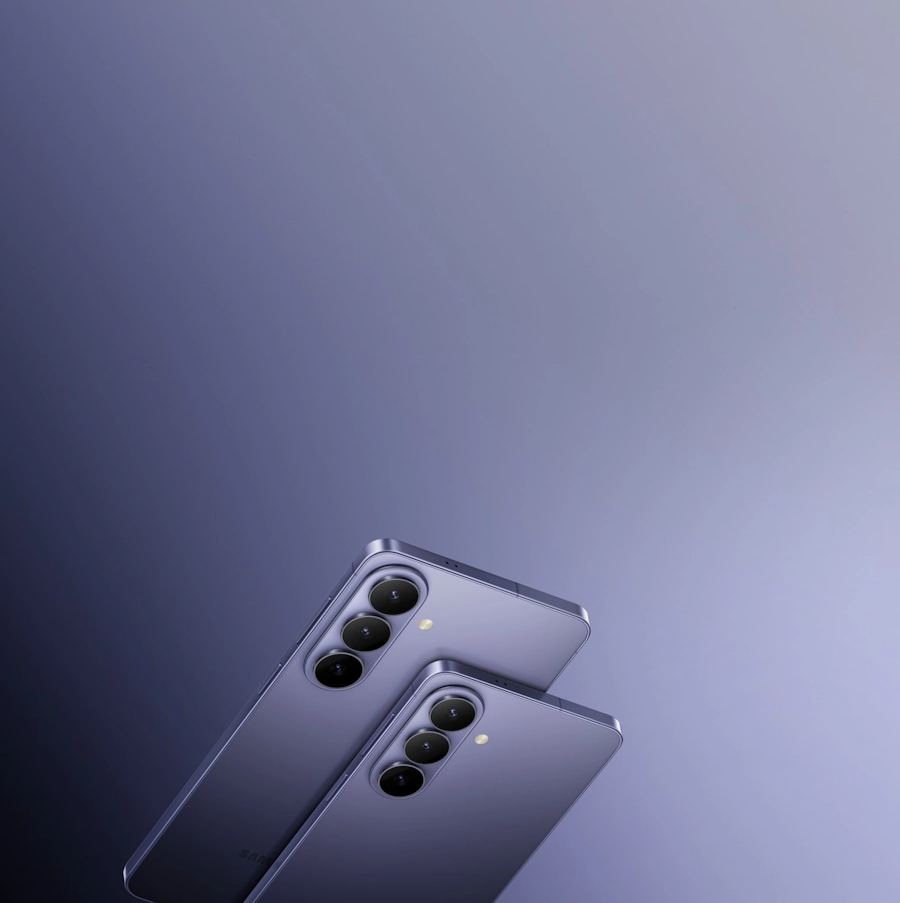
Встречайте Galaxy S26 и S26+, наши мощные смартфоны с AI. Благодаря скругленным углам они будут идеально лежать в любой руке.
ФУНКЦИОНАЛЬНЫЕ ХАРАКТЕРИСТИКИ
Наш мощный процессор, разработанный специально для Galaxy
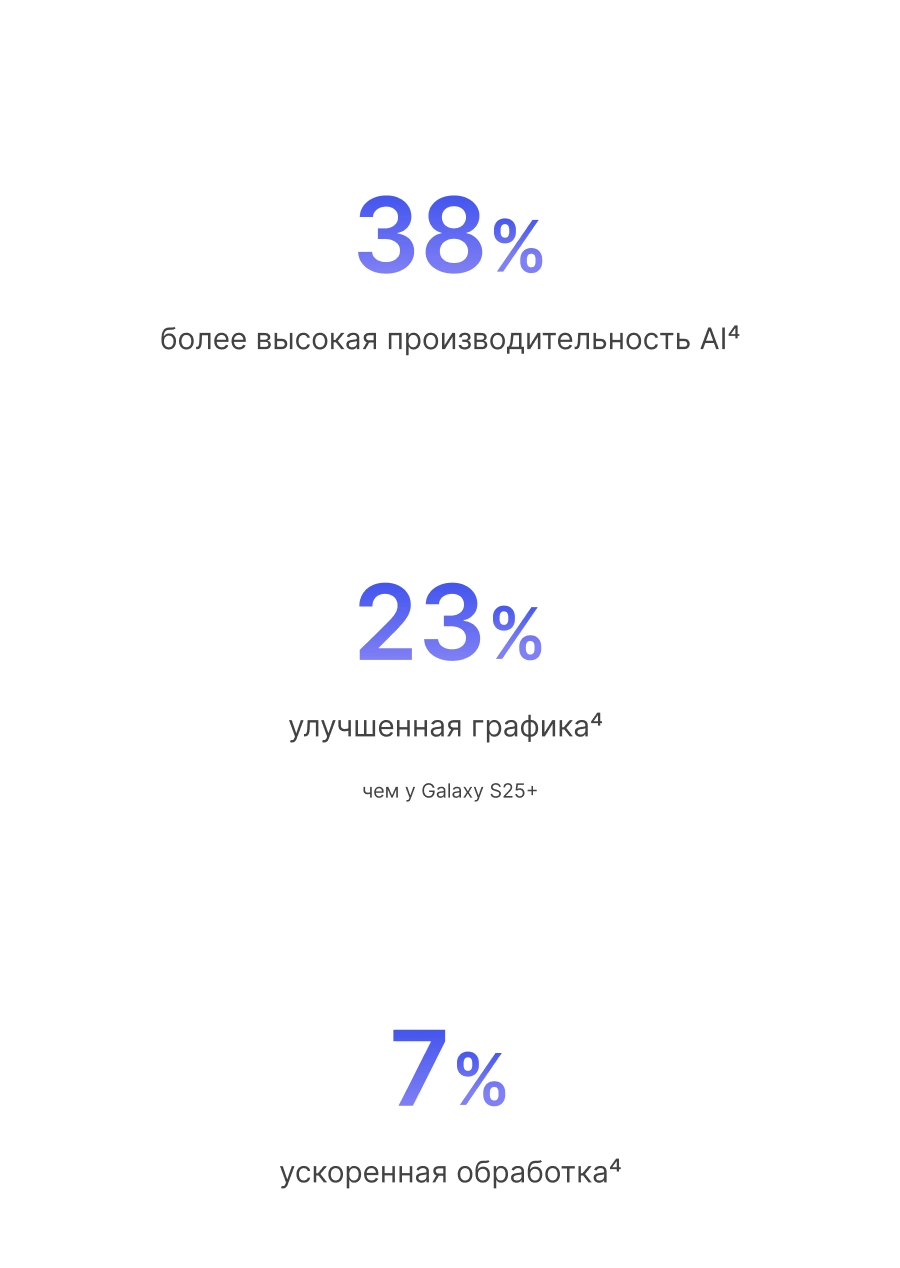
Оптимизированный процессор обеспечивает невероятную скорость делая контент четким и ярким, даже если вы предпочитаете требовательные игры. Кроме того, повышение производительности продвинутого NPU на 38% и улучшение плавности изображения на 23% позволят вам всегда быть на шаг впереди.16
Качественно новый уровень контента
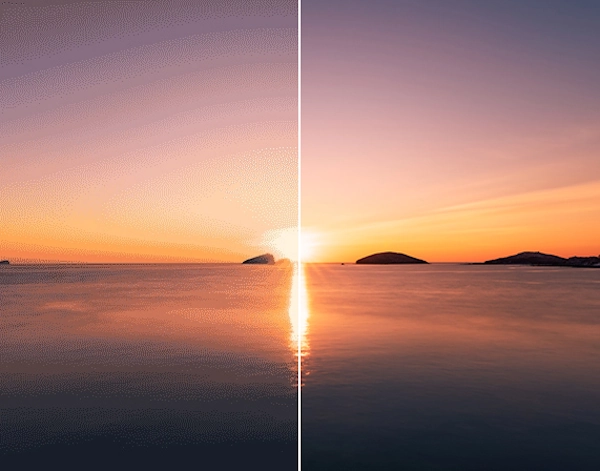
Передовой мобильный процессор mDNIe обеспечивает улучшенную цветопередачу, повышая графическую производительность и точность обработки изображения в 4 раза. ProScaler также придает каждому изображению выразительность и реалистичность благодаря обработке на основе AI.6,17
Играйте дольше. Без перегрева
Обновленная Испарительная камера и специальный термоинтерфейс не дают процессору перегреться, даже если речь идет об очень требовательных играх. Низкая температура работы обеспечивает распределение тепла на 29% более эффективно чем ранее. Благодаря трассировке лучей и оптимизации Vulkan ваше устройство сохраняет максимальную производительность даже при просмотре многочасовых видеороликов и обеспечивает плавное и детализированное изображение.18,19,20
Быстрая проводная зарядка
Восстановите до 69% заряда примерно за 30 минут, чтобы всегда быть на связи.4,21
до
69 %
зарядка примерно за
30 мин
Памяти точно хватит
Galaxy S26 и S26+ обладают 12 ГБ оперативной памяти и 256 ГБ или 512 ГБ встроенной памяти, чтобы вы смогли выбрать объем, соответствующий вашим потребностям. Версия 256 ГБ оптимальна, чтобы хранить любимые фотографии и необходимые приложения для повседневного использования. А 512 ГБ подойдет для того, чтобы без замедления работы смартфона играть в игры, фотографировать в высоком разрешении и загружать тяжелые приложения.22
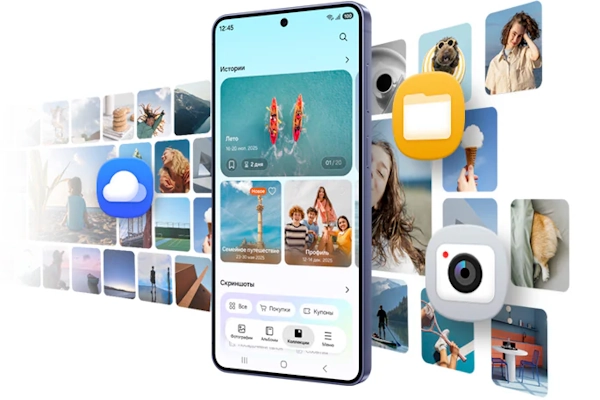
КАМЕРА
Даже ночью все четко и ярко
Огни ночного города или свет свечей — Функция Ночная съемка позволит вам запечатлеть самые особенные мгновения. Камера нового поколения захватывает более широкий динамический диапазон, обеспечивая как в тени, так и на светлых участках. Благодаря усовершенствованному процессору происходит шумоподавление на основе уникальных моделей шума для каждого типа сенсора, в результате чего изображение выглядит естественно и кинематографично даже в условиях низкой освещенности.2,6,23
Ознакомьтесь с характеристиками мощной системы камер
Благодаря алгоритму ProVisual усовершенствованная камера 50 МП улучшает каждый снимок, повышая детализацию, насыщенность цвета и четкость изображения.2,24
Суперстабилизация в действии
Функция Суперстабилизация выравнивает картинку благодаря гироскопическими датчикам, которые позволяют сохранять ровную линию горизонта, даже если вы находитесь в движении.25
Ближе, чем когда-либо
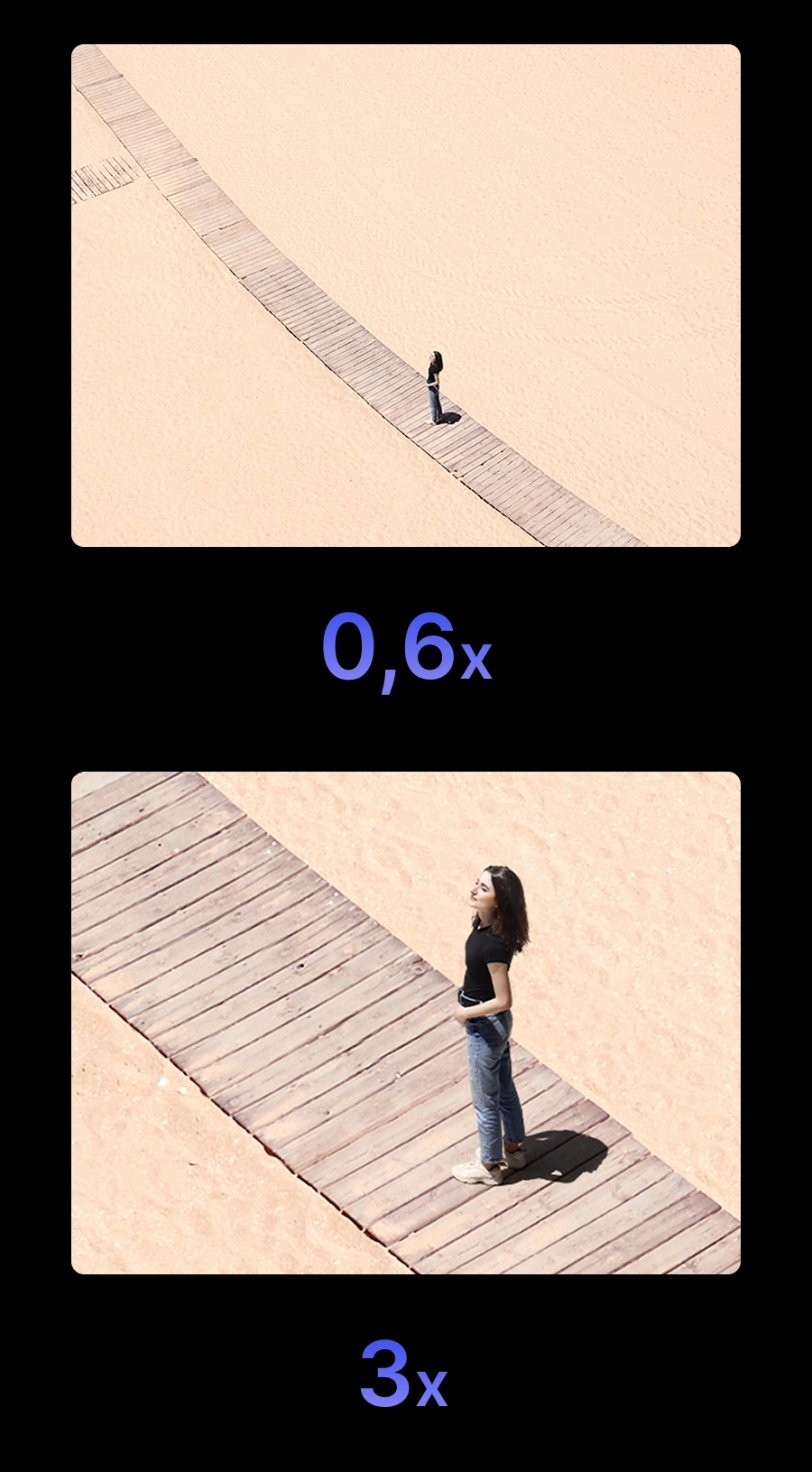
Резкость и детализированность ваших фотографий остается неизменно высокой при использовании зума на разных расстояниях: от 0,6x до 3-кратного оптического зума. А благодаря цифровому зуму до 30x вы получите именно тот результат, которого добивались, — будь то съемка крупным планом или фотографирование объекта, который находится на большом расстоянии от вас.23,24
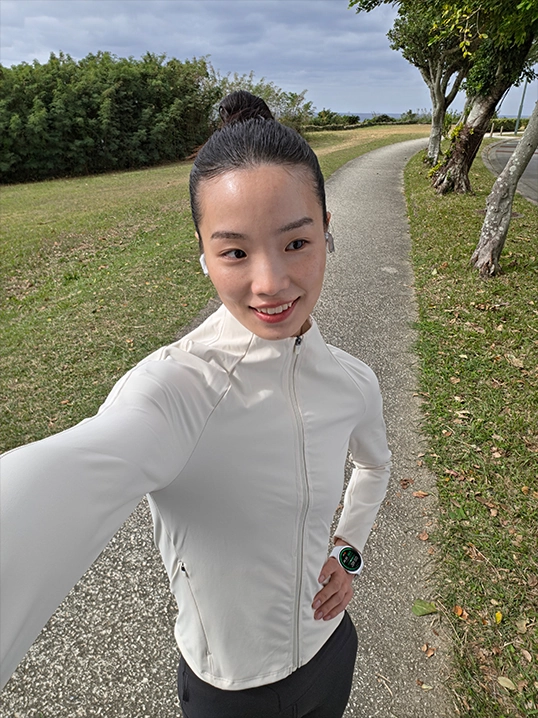
Каждый кадр — шедевр
Фронтальные камеры Galaxy S26 и S26+ теперь оснащены процессором обработки сигналов изображения (ISP) на основе AI. Результат — более естественные фотографии: светлые участки и тени не искажаются, а цвет кожи, волосы, брови и другие детали передаются именно такими, какими вы их видите.2,26
GALAXY AI
Фото-ассистент Монтаж уровня ПРО прямо в смартфоне
Быстро и легко редактируйте фотографии с помощью всего нескольких слов и AI. Добавляйте аксессуары и другие предметы на фотографии вашего питомца, описывая изменения, которые хотите внести. Galaxy AI воплотит ваше видение в жизнь за считанные минуты.3
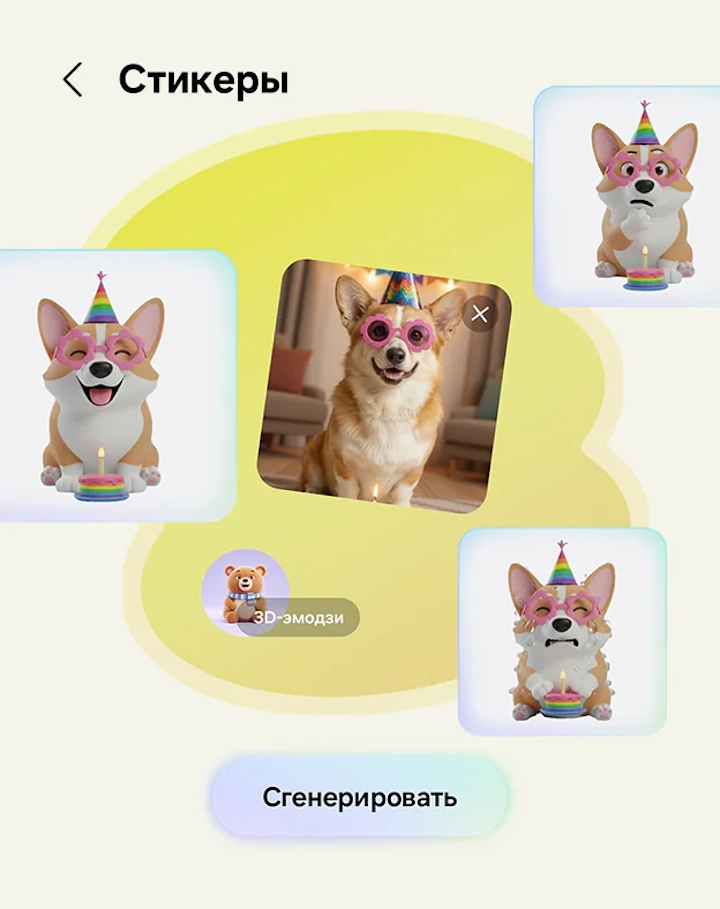
От фото до стикера в одно касание
Креативная студия — это специальное пространство для создания наборов стикеров. Дайте свободу своему воображению и превращайте эскизы или фотографии в стикеры благодаря простому текстовому описанию. Затем добавляйте набор на клавиатуру и используйте его в переписке.27
Рекомендации в режиме реального времени, когда они вам нужны
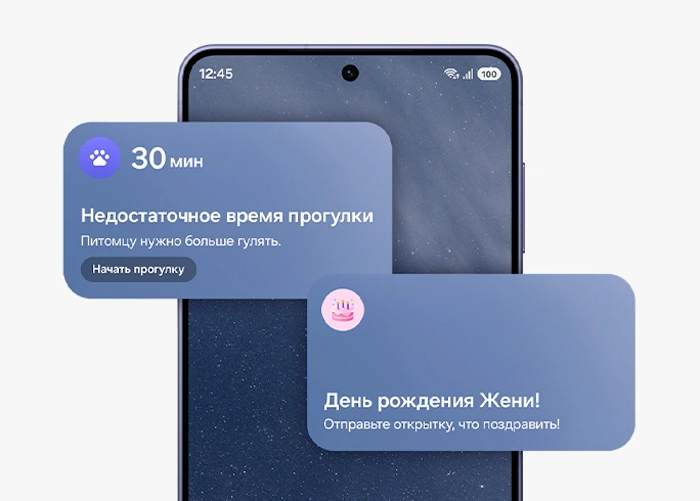
Мой день
Облегчите себе жизнь с помощью функции Мой день. Теперь он может отслеживать ваши ежедневные действия и лучше, чем раньше, понимать ваши привычки. Рекомендации по плейлистам для тренировок, напоминания о важных событиях, включая детали бронирования и особые мгновения во время путешествия, теперь доступны в виде коротких сообщений, отправляемых в течение дня.
ONE UI 8.5
Ваш стиль. Ваш Galaxy
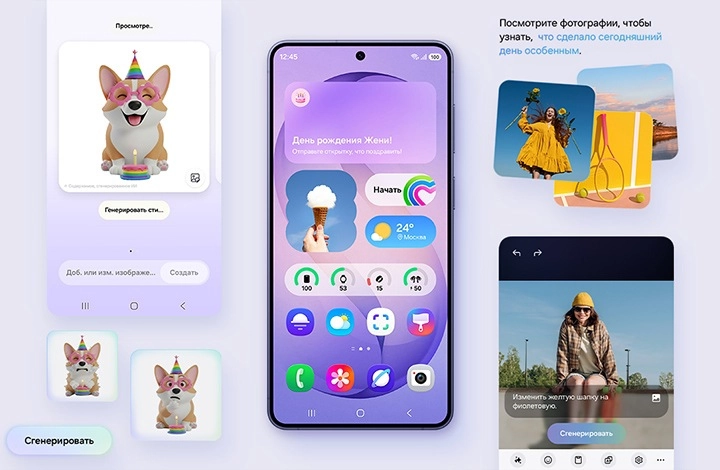
One UI 8.5 персонализирует ваш Galaxy в зависимости от того, как вы используете его ежедневно. Простые и интуитивные контекстные напоминания от функции Мой день и интеллектуальные подсказки от совершенно новых функций AI-подсказки и Умный выбор упрощают выполнение повседневных задач одним касанием.28,29,30
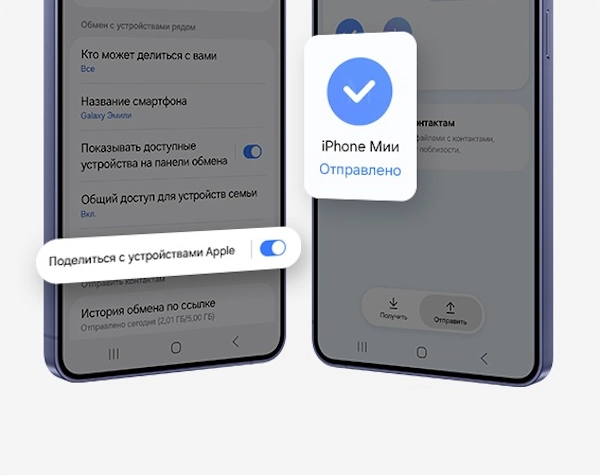
Быстрая отправка Теперь с поддержкой AirDrop®
Делитесь контентом с легкостью. Теперь с совместимостью с AirDrop®, Функция быстрого обмена данными позволяет легко отправлять и получать фотографии, видео и файлы между Samsung Galaxy и устройствами iPhone, iPad или macOS.31б32
Ваши данные под защитой Knox
Мы стремимся защищать вашу информацию, обеспечивая при этом прозрачность в отношении того, как она используется и распространяется.

Защита на устройстве
Наша система обработки персональных данных безопасно собирает и обрабатывает ваши персональные данные. Затем она шифрует эти данные и сохраняет их на вашем устройстве с помощью Knox Vault, что затрудняет получение посторонними лицами доступа к ним.33,34
Индивидуальные элементы управления
Возьмите под контроль свой Galaxy AI. Вы сами решаете, где будут обрабатываться данные: на устройстве или в облаке.
Безопасность в сети
Технология Knox Matrix Trust Chain обеспечивает безопасность на всех объединенных в сеть устройствах Galaxy, поэтому вы можете контролировать безопасность других устройств прямо со своего смартфона Galaxy.
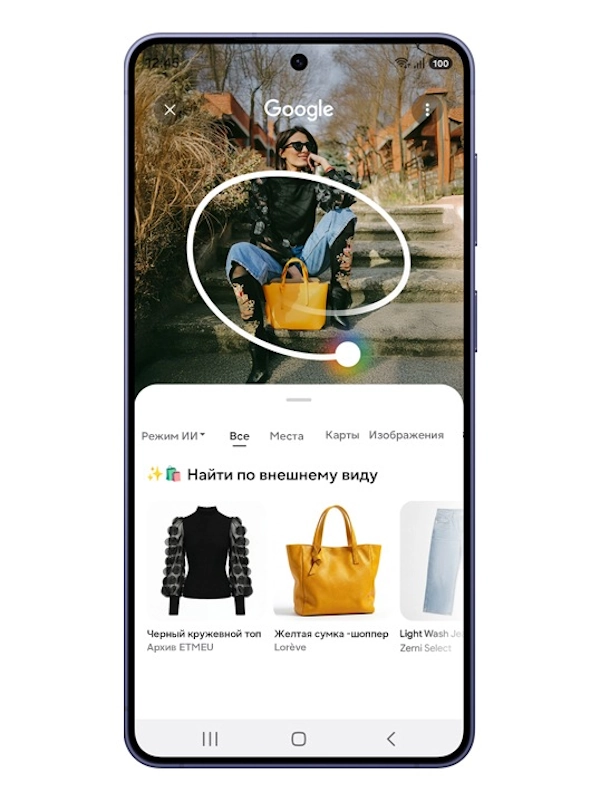
ОБВЕСТИ И НАЙТИ
Обведи и найди
Используйте функцию Google «Обвести и найти», чтобы находить элементы образа: просто обведите одежду на экране, и сервис поможет подобрать каждую деталь — от топа до ботинок и всего остального — в рамках одного поиска. Можно обвести, найти и собрать образ, не покидая текущего экрана.37
Обвести и найти с Google
Для чего переходить на Galaxy
Переход стал проще
Представьте, какие возможности появляются с нашими самыми производительными устройствами. Переходите на Galaxy и откройте для себя мир, где все ваши технологии работают в унисон, обеспечивая связь и контроль.
Smart Switch
С помощью Smart Switch, вы можете переносить фотографии, видео, контакты, заметки, события календаря, другие приложения и даже настройки устройства с iOS легко и удобно.38,39,40
Быстрая отправка
Используйте функцию Быстрая отправка чтобы легко передавать файлы между устройствами как внутри экосистемы Galaxy, так и за ее пределами, включая ОС Android, ПК и устройства Apple.32,33,34
Try Galaxy
Испытайте новые возможности Galaxy AI и One UI в приложении Try Galaxy или на сайте trygalaxy.com. На доступность сервиса могут влиять настройки сети.
*Все технические характеристики и описания, приведенные здесь, могут отличаться от реальных технических характеристик и описаний продукта. Samsung оставляет за собой право вносить изменения в данный документ и описанные в нем продукты в любое время без обязательства предоставлять уведомление о таких изменениях. Все функциональные возможности, характеристики, спецификации, GUI и другая информация о продукте, представленная в данном документе, включая, помимо прочего, преимущества, дизайн, цены, компоненты, производительность, доступность и возможности продукта, могут быть изменены без предварительного уведомления или обязательств. Изображения на экране смоделированы в демонстрационных целях.
*Для использования некоторых функций AI может потребоваться вход в Samsung Account.
*Samsung не дает никаких обещаний, заверений или гарантий относительно точности, полноты или надежности результатов, предоставляемых функциями AI.
*Доступность функций Galaxy AI зависит от региона/страны, версии OS/One UI, модели устройства и оператора связи.
*Базовые функции Galaxy AI, предоставляемые Samsung, бесплатны. В будущих версиях могут появиться расширенные функции или новые сервисы, предоставляемые на платной основе. К функциям AI от сторонних поставщиков могут применяться другие условия. К базовым функциям Galaxy AI относятся услуги, перечисленные в разделе «Расширенный интеллект» в действующих Условиях предоставления услуг Samsung.
*Сервис Galaxy AI может быть ограничен для несовершеннолетних в определенных регионах, в которых есть возрастные ограничения на использование AI.
*Полный список поддерживаемых языков для функций Galaxy AI можно найти в разделе часто задаваемых вопросов.
- При проводной передаче от устройств Android™ принимающее устройство должно иметь Android™ 5.0 или более позднюю версию, и отправляющее устройство должно иметь Android™ 5.0 или более позднюю версию. Передачу можно осуществлять без кабеля посредством беспроводного соединения. При беспроводном подключении принимающее устройство должно иметь Android™ 5.0 или более позднюю версию, и отправляющее устройство должно иметь Android™ 5.0 или более позднюю версию. Откройте Smart Switch Mobile в разделе «Настройки» на принимающем устройстве Galaxy или скачайте приложение Smart Switch Mobile из магазина Galaxy Store. Доступные для передачи данные, контент и приложения могут отличаться в зависимости от способа передачи.
- Результаты могут отличаться в зависимости от освещенности и/или условий съемки, включая наличие нескольких объектов, расфокусировку или движущиеся объекты.
- Фото-ассистент может потребовать подключения к сети и входа в Samsung Account. Доступность сервиса может зависеть от страны, языка или модели устройства. Функция Фото-ассистент может привести к изменению размера фотографии. При выводе изображения на нем будет присутствовать видимый водяной знак, показывающий, что изображение создано AI. Точность и надежность выводимого изображения не гарантированы.
- Технические характеристики только для Galaxy S26+.
- Вес может варьироваться в зависимости от страны или региона.
- По сравнению с предыдущими моделями.
- По данным внутренних лабораторных испытаний Samsung с использованием предварительной версии данной модели, подключенной к наушникам через Bluetooth с настройками по умолчанию через LTE. Оценивается емкость аккумулятора и измеряется ток потребления энергии аккумулятора при воспроизведении видео (разрешение видеофайла 720 p, сохранено на устройстве) на главном экране. Фактическое время воспроизведения видео может зависеть от подключения к сети, настроек, формата видеофайла, яркости экрана, состояния аккумулятора и многих других факторов.
- Доступность цвета может изменяться в зависимости от страны и оператора связи.
- В рамку из армированного алюминия не входят кнопки регулирования громкости и боковые кнопки, а также лоток для SIM-карты или оправа объектива камеры.
- Corning® Gorilla® Glass Victus® 2 применяется спереди и сзади для обоих устройств.
- Подтверждено лабораторными испытаниями с погружением в пресную воду на глубину до 1,5 м, на срок до 30 минут. Отсутствие проникновения пыли; полная защита от контакта (пыленепроницаемость). Водо- и пылезащита устройства не является постоянной и может снижаться со временем из-за естественного износа.
- Размер экрана Galaxy S26 в полном прямоугольнике по диагонали составляет 6,3 дюйма, а с учетом закругления по углам — 6,1 дюйма; размер экрана Galaxy S26+ в полном прямоугольнике по диагонали составляет 6,7 дюйма, а с учетом закругления по углам — 6,5 дюйма; размер экрана Galaxy S26 Ultra в полном прямоугольнике по диагонали составляет 6,9 дюйма, а с учетом закругления по углам — 6,7 дюйма; фактическая видимая область меньше из-за закругленных углов и отверстия камеры.
- Функция Режим Антишпион ограничивает просмотр экрана под углом и может быть активирована в настройках. Активация конкретных приложений также доступна в настройках. За пределами угла обзора могут происходить изменения качества изображения. В зависимости от условий просмотра, таких как угол обзора или яркость, некоторая информация может оставаться видимой для других. Следует проявлять осторожность при просмотре конфиденциальной информации.
- Типичное значение, проверенное в условиях сторонней лаборатории. Типичное значение — это расчетное среднее значение, учитывающее отклонение емкости аккумулятора среди образцов, протестированных по стандарту IEC 61960. Номинальная емкость составляет 4175 мАч для Galaxy S26, 4755 мАч для Galaxy S26+ и 4855 мАч для Galaxy S26 Ultra.
- По сравнению с Galaxy S25 Ultra, наблюдается улучшение яркости.
- Улучшения производительности AP применяются к Galaxy S26+ и сравниваются с Galaxy S25+. Фактические характеристики работы зависят от пользовательской среды, условий и предустановленного программного обеспечения и приложений.
- Функция ProScaler поддерживается моделями Galaxy S26+ и Ultra. Качество изображения можно улучшить до QHD+ в зависимости от настроек разрешения экрана устройства.
- Улучшения системы отвода тепла относятся только к модели Galaxy S26.
- Показано улучшение производительности Испарительной камеры по сравнению с Galaxy S25. Фактические характеристики работы зависят от пользовательской среды, условий и предустановленного программного обеспечения и приложений.
- Трассировка лучей поддерживается на устройствах серии Galaxy S26. Доступность зависит от устройства, контента и приложения.
- Фактическое время работы от аккумулятора варьируется в зависимости от сетевого окружения, используемых функций и приложений, частоты звонков и сообщений, количества зарядок смартфона и многих других факторов. Оценивается по среднему профилю использования, составленному UX Connect Research. Независимая оценка UX Connect Research 08.01.2026 – 30.01.2026. в США и Великобритании с прототипами SM-S942, SM-S947 и SM-S948 при настройках по умолчанию с использованием сетей LTE и 5G Sub6. Проверка НЕ проводилась в сети 5G mmWave.
- Варианты хранилища и их доступность могут отличаться в зависимости от оператора связи, страны или региона. Объем доступной памяти может варьироваться в зависимости от предустановленного программного обеспечения.
- Представленные фотографии смоделированы только для иллюстрации; они не были сняты на Galaxy S26 и S26+.
- Зум оптического качества обеспечивает датчик Adaptive Pixel. 3-кратное увеличение является оптическим зумом. 2-кратное увеличение является зумом оптического качества.
- Результаты работы системы Суперстабилизация могут варьироваться в зависимости от способа редактирования и/или условий съемки.
- Представленное фото не было снято на Galaxy S26 и S26+.
- Для использования функции Creative Studio требуется подключение к сети и вход в Samsung Account. Доступность сервиса может зависеть от страны, языка или модели устройства. Точность и надежность выводимого изображения не гарантированы. Наборы стикеров совместимы только с клавиатурой Samsung и могут быть переданы только через Quick Share на другие устройства Galaxy с установленной One UI 5.0 или более поздней версии и приложением Quick Share версии 13.8.50.x или более поздней.
- Для использования функции Мой день требуется вход в Samsung Account. Доступность сервиса может зависеть от страны, языка, модели устройства, приложений. Для использования некоторых функций может потребоваться подключение к сети. Описание фотографий, предоставленных в рамках моментов, может не совпадать с намерениями пользователя. Для получения уведомлений о выгуле собак необходимо активировать SmartTag2 и Pet Care в SmartThings. SmartTag2 продается отдельно. Для использования полученных данных необходимо включить уведомления. Доступ к данным, полученным из уведомлений поддерживаемых приложений, Messages, Gmail и Samsung Wallet, а также к данным, собранным из Gmail, возможен только в том случае, если пользователь дает согласие на чтение данных Personal Data Intelligent. Данные о бронировании доступны только из сообщений с подтверждением бронирования.
- Для использования функции AI-подсказки требуется вход в Samsung Account. Доступные функции и возможности могут различаться в зависимости от страны, региона и языка. Функция отправки текстовых запросов доступна в некоторых сторонних мессенджерах, включая Samsung Messages, Google Messages, Google Chat, WhatsApp, WhatsApp Business, KakaoTalk, LINE, Signal, Instagram (DM), Tango, NTT Docomo Messages, KDDI Messages. В сервисе AI-подсказки фотографии анализируются с помощью доступного графического контента. Точность результатов не гарантирована.
- Available functions and features may vary by country, region and language. Action capsules provided may differ depending on the model.
- Функция быстрого обмена данными между устройствами Galaxy доступна для следующих устройств и ОС: смартфоны и планшеты с ОС Android версии 2020.0 (Q) и One UI 2.1 или выше, Galaxy Books выпуска 2020 года или более поздней версии. Требуется учетная запись Samsung и подключение по Wi-Fi и Bluetooth. Для обмена данными с устройствами Apple требуется устройство Galaxy с версией приложения функции быстрой отправки 13.8.51.27 или выше и версией сервисов Google Play 26.11.xx или выше. По состоянию на март 2026 года функция Поделиться с устройствами Apple поддерживается только на Galaxy S26 и в будущем будет расширена на отдельные флагманские модели.
- Ваш смартфон может временно отключаться от сетей Wi-Fi при поиске устройств Apple или обмене данными с ними.
- Personal Data Engine функционирует при включенном меню Personal Data Intelligence. Проанализированные данные будут удалены после отключения меню Personal Data Intelligence. Personal Data Engine распознает отдельные языки и конкретные акценты/диалекты, включая, в частности, арабский, (упрощенный) китайский, голландский, английский, французский, немецкий, хинди, индонезийский, итальянский, японский, корейский, польский, португальский, румынский, русский, испанский, шведский, тайский, турецкий и вьетнамский. Personal Data Engine в настоящее время анализирует нативные приложения Samsung и уведомления поддерживаемых приложений.
- KEEP доступно на смартфонах и планшетах Galaxy с оболочкой One UI 8 или более поздней версии.
- Google — товарный знак Google LLC. Последовательность действий сокращена и смоделирована. Результаты приведены только для примера. Доступность услуги зависит от страны, языка и модели устройства. Доступно на избранных устройствах и требует подключения к Интернету. Работает с совместимыми приложениями и средами. Результаты могут отличаться в зависимости от визуального соответствия. Может потребоваться обновление Android и приложения Google до последней версии. Точность результатов не гарантируется. Недоступно в приложениях, где запрещен снимок экрана. Список поддерживаемых языков для функции Google «Обвести и найти» можно найти на следующей веб-странице: https://support.google.com/websearch/answer/16011537?visit_id=638863890792571848-2380469398&p=aimode&rd=1#zippy=%2Csupported-countries-territories%2Csupported-languages
- Доступность функции может быть изменена. Совместимость поддерживается только компанией Google. Требуются совместимые устройства. Необходимо находиться в пределах действия Bluetooth. AirDrop® является зарегистрированным товарным знаком компании Apple Inc.
- Для осуществления проводной передачи данных с iOS на принимающем устройстве должна быть установлена версия Android™ 5.0 или более поздняя, а на отправляющем устройстве — iOS 5 или более поздняя версия. Перенос данных может быть осуществлен без кабеля по беспроводной сети или iCloud. При беспроводном подключении принимающее устройство должно иметь Android™ 5.0 или более позднюю версию, а отправляющее устройство должно иметь iOS 12 или более позднюю версию. Для передачи данных через iCloud принимающее устройство должно иметь Android™ 5.0 или более позднюю версию, а отправляющее устройство — iOS 5 или более позднюю версию. Откройте Smart Switch Mobile в разделе «Настройки» на принимающем устройстве Galaxy или скачайте приложение Smart Switch Mobile из магазина Galaxy Store. Для беспроводной передачи данных скачайте Smart Switch для iOS из App Store на свой iPhone или iPad. Доступные для передачи данные, контент и приложения могут отличаться в зависимости от способа передачи. Контакты, галерея, видео, календари и напоминания могут быть перенесены с устройства iOS в беспроводном режиме.
- При одновременной передаче большого количества данных рекомендуется использовать проводное соединение.
- Каждое устройство Galaxy продается отдельно.
- Действуют положения и условия. Доступность Samsung Гарантия+, тип обслуживания и детали акции могут отличаться в зависимости от страны/региона; также может применяться франшиза (плата за обслуживание). Для участия в промоакции Samsung Гарантия+ может потребоваться регистрация. Подробную информацию о Samsung Гарантия+ можно найти на сайте https://www.samsung.com/samsung-care-plus/. Поддержка дома или в поездках: если вам необходимы услуги Samsung Гарантия+ в путешествии, заранее свяжитесь с местным центром поддержки страны/региона, куда вы отправляетесь, чтобы уточнить доступность сервиса.
- Продукты под брендом Snapdragon являются изделием компании Qualcomm Technologies, Inc. и/или ее дочерних компаний. Snapdragon является торговой маркой или зарегистрированной торговой маркой компании Qualcomm Incorporated.
Характеристики
Диафрагма ƒ/2.2
Диафрагма ƒ/2.4
3-кратный оптический зум
Диафрагма ƒ/1.8
30-кратное цифровое приближение
IEEE 802.11a
IEEE 802.11b
IEEE 802.11g
IEEE 802.11ac Wi-Fi 5
IEEE 802.11ax Wi-Fi 6
IEEE 802.11be Wi-Fi 7